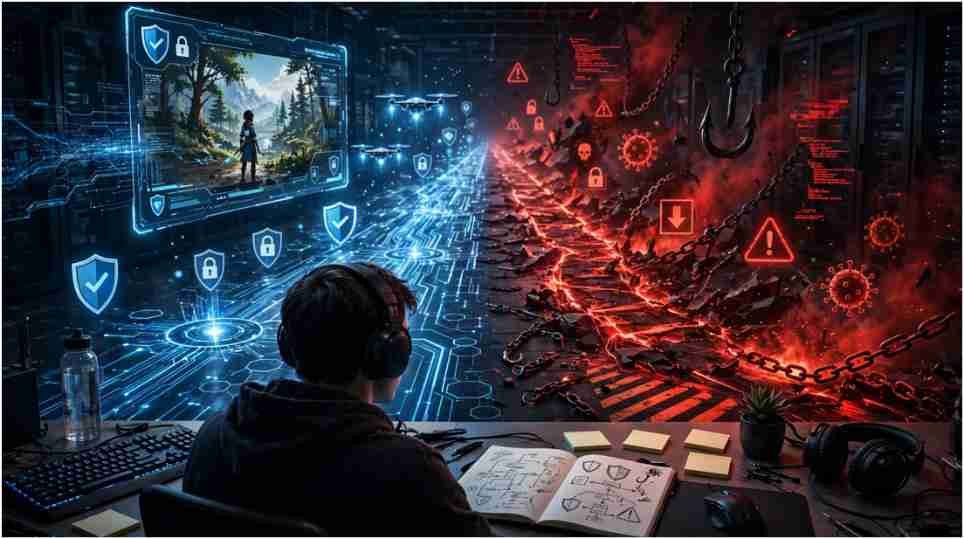
The first search result promising instant access may be the worst place to enter your password. I compared the common Roblox Unblocked methods by reliability, credential exposure, and policy risk. Official access on a personal device remained the strongest option.
Cloud gaming can help in limited cases. VPNs, proxies, portable browsers, and modified downloads are far less predictable. The right choice depends on what is blocked and who owns the device.
Start With the Type of Roblox Restriction
A Roblox session can fail because of a network filter, device policy, account setting, browser problem, outage, or regional restriction. Treating every failure as a firewall problem leads users toward unnecessary tools.
A network block affects traffic passing through a specific connection. A device restriction stays with the computer, even after the connection changes. Account-level controls follow the Roblox profile across supported devices.
If Roblox loads on a personal phone but not a laptop using the same home Wi-Fi, inspect the laptop. If neither device works on that connection, check the router, network policy, and Roblox service status.
Safe Roblox Access Options Compared
Official Website or Application
The official website and approved app stores provide the lowest-risk route. You receive the authentic client, normal security updates, and Roblox’s current moderation systems.
If the official service fails on your personal computer, restart the device and router. Update the operating system, browser, and Roblox client. Disable only extensions you installed and trust. Then test the service again.
Do not search for “patched,” “modified,” or “school edition” downloads. Roblox does not require a mysterious third-party installer to become playable.
Browser-Based Cloud Gaming
Cloud gaming can provide Roblox Unblocked access without installing the full client. The remote service handles game processing and streams video to the browser.
This approach helps on low-powered personal laptops, but it has limits. Performance depends on latency, connection stability, server demand, and service availability. School filters may block the cloud platform. Some services may also require an account or impose session limits.
Before signing in, verify the exact domain and read its privacy policy. Avoid student-shared proxy links, copied pages, and unofficial GitHub deployments requesting Roblox credentials.
People who follow game promotions may also encounter pages discussing Codes eTrueSports. Treat promotional-code pages with the same caution: verify the offer through an official publisher before signing in or downloading a file.
VPNs and Personal Hotspots
A VPN encrypts traffic between your device and its server. That can improve privacy on a personal connection, but it does not guarantee access or safety.
Many managed networks block VPN traffic. A VPN may reduce performance, trigger login verification, or conflict with an organization’s acceptable-use policy. It also cannot remove administrator controls from a school Chromebook.
A personal hotspot changes the network rather than the device. It may help on an owner-controlled laptop when local policy permits personal connections. Streaming can consume considerable data, so users should check carrier limits first.
Neither tool should be used to defeat controls on equipment owned by a school or employer.
My Roblox Access Risk Ladder
I rank each option across four questions: Do I own the device? Do I have permission? Must I share credentials? Does the method weaken security?
The lowest-risk level is the official Roblox service on a personal device and permitted network. Next comes an established cloud platform that uses official authentication and publishes clear privacy terms.
A personal hotspot falls in the middle because data costs and local policies vary. VPNs rank lower when their only purpose is bypassing a known restriction.
Public proxies, mirror sites, modified clients, random browser extensions, and third-party APK files occupy the highest-risk level. They combine weak accountability with possible credential theft or malware.
This ladder offers more value than declaring one method “best.” Access methods become safer or riskier based on ownership, permission, and credential handling.
Why Unblocked Roblox Websites Can Be Dangerous
Fake gaming pages often copy logos, buttons, and screenshots from established brands. The page may ask users to “verify” an account, install an extension, complete a survey, or download a special launcher.
Those steps are warning signs. The Federal Trade Commission advises users to avoid clicking unexpected links and to verify requests through known contact channels. The same principle applies to Roblox login pages.
Malicious extensions can read browser activity or redirect searches. Modified files can carry unwanted software. A proxy operator may also monitor data passing through its service.
The US Cybersecurity and Infrastructure Security Agency recommends strong passwords and multifactor authentication as part of basic account protection. Follow CISA’s account-security guidance and keep Roblox credentials unique.
Troubleshooting Roblox on a Personal Device
Start with the least invasive checks. Confirm that Roblox is operational, then restart the browser, client, and device. Install official updates and check whether security software has blocked the application.
Clear Roblox-related browser data if the website enters a login loop. Test another supported browser rather than downloading a portable browser from an unfamiliar source.
A portable browser does not bypass a network firewall. It only runs without a conventional installation. That difference makes many “USB unblocking” claims misleading.
If parental controls restrict the account, use the linked parent account to review the setting. Do not create another profile merely to evade a family rule.
How to Unblock Someone on Roblox
Unblocking a person is unrelated to network access. Sign in, open Settings, select “Privacy & content maturity,” and open “Blocked users.” Choose the appropriate username and save the change.
The official Roblox unblocking instructions also explain that a child cannot independently reverse a block applied by a linked parent.
This distinction deserves a short section because many readers use “unblock Roblox” when they mean restoring contact with another player.
Protecting Accounts While Exploring Gaming Content
Never reuse your Roblox password on gaming directories, code pages, or tournament websites. Enable two-step verification and review active sessions after any suspicious login.
Offers connected with G Plus Games should be confirmed through a legitimate organizer or publisher. A convincing logo does not prove that a reward code, giveaway, or download is authentic.
Parents should review chat permissions, content maturity, connections, spending controls, and screen time. These controls remain valuable even when children use the official application.
Frequently Asked Questions
1. What is the safest Roblox Unblocked method?
Use the official Roblox service on a personally owned device and an authorized connection.
2. Can a VPN unblock Roblox at school?
It may change network routing, but using it can violate school policy and will not remove managed-device controls.
3. Can Firefox Portable bypass a Roblox firewall?
No. A portable browser may avoid installation, but the network can still block Roblox traffic.
4. Are Roblox mirror sites legitimate?
Most are unofficial and may expose users to phishing, malware, intrusive advertisements, or stolen accounts.
Skip the Shortcut Circus
I would choose a stable account over five minutes of questionable access every time. Roblox Unblocked pages often sell convenience while hiding the cost: exposed credentials, unsafe files, poor performance, or disciplinary trouble.
Check the restriction, confirm device ownership, and use the official platform first. If an administrator controls the network or computer, request approved access. The smartest next move is the one that keeps both your game progress and your account intact.