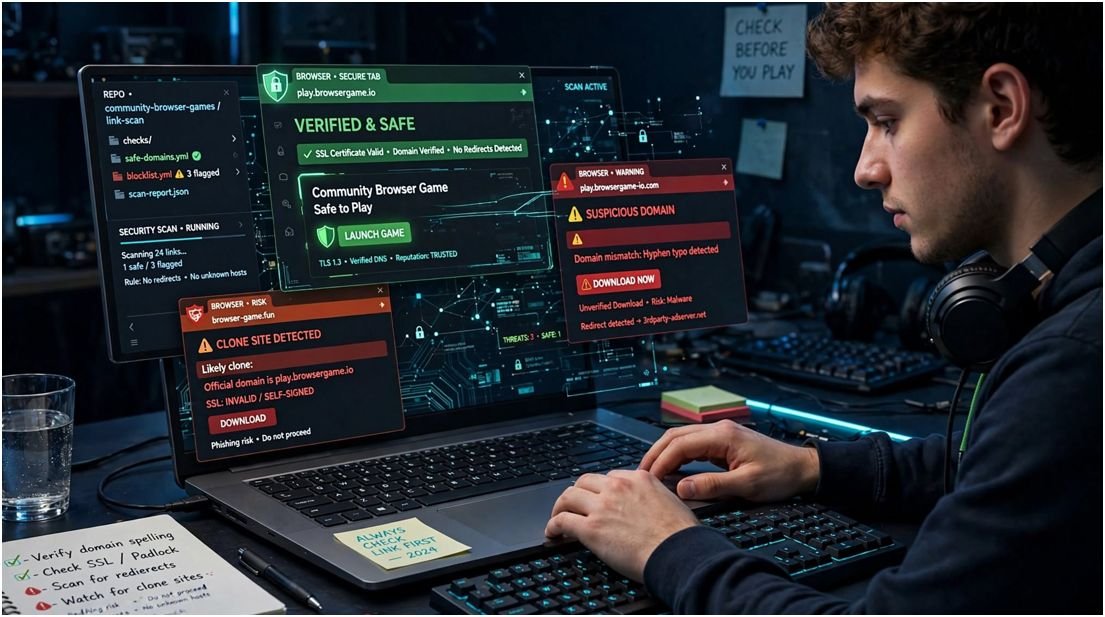
Searching for Hypackel can produce official-looking pages, GitHub projects, mirrors, forks, and unrelated websites. That creates a bigger question than which games are available: how can you tell which link deserves your trust?
I reviewed the platform’s public footprint using a risk-based method. My conclusion is measured. Browser gaming can reduce installation risks, but a familiar logo and HTTPS padlock cannot guarantee safety.
Is Hypackel Safe to Use?
There is no honest universal answer because visitors may reach different domains. A recognised project page, a public GitHub fork, and a lookalike clone do not carry the same risk.
The safest version is generally one connected to a verifiable project account or original repository. Even then, users should inspect advertisements, redirects, permissions, and external game sources.
A website can also change after publication. Safety reviews should therefore include a visible testing date and the exact URL examined.
Why HTTPS Is Not Proof of Safety
HTTPS encrypts data moving between a browser and a website. It helps prevent outsiders from casually reading that traffic.
However, scammers can obtain HTTPS certificates too. The padlock confirms an encrypted connection to a domain; it does not confirm that the domain owner is honest.
I use HTTPS as the first check, not the final verdict. Domain history, project links, download behaviour, permissions, and redirects provide stronger context.
What Is the Difference Between Hypackel Lite, Forks and Clones?
Hypackel Lite is described as a lightweight version hosted through GitHub Pages. Its public codebase says GitHub’s hosting limits resulted in a smaller game selection. It also lists PWA support, cross-platform use, a clean interface, and tab-cloaking features.
The public Hypackel Lite repository on GitHub gives users more transparency than an unexplained mirror. Visitors can view files, project history, deployment details, and repository ownership.
Transparency still does not equal automatic safety. A public repository can be forked, modified, abandoned, or republished under a similar name.
Recognised Project Page
A recognised page is linked from the project’s established profile or original repository. This connection offers some evidence of ownership, although it is not an independent security audit.
Public Fork
A fork copies an existing repository into another account. The new owner can preserve the code or change it. Users should never assume every fork matches the original.
Mirror or Clone
A mirror reproduces content on another domain. Some mirrors exist for availability, while others exploit popular searches. A clone may copy branding while adding advertisements, tracking scripts, fake buttons, or harmful downloads.
This distinction also applies to other gaming searches. A page offering a Nintendo Switch ROM may look polished while distributing unauthorised or altered files. Visual quality cannot establish legitimacy.
How Can You Verify a Hypackel Link?
Start by checking where the link came from. A domain listed on an established project profile carries more context than one discovered through an advertisement or unsolicited message.
Read every character in the hostname. Look for doubled letters, added hyphens, unusual subdomains, or domain extensions that differ from known project links.
Then inspect the page before opening a game. Unexpected redirects, full-screen warnings, extension requests, notification prompts, and fake update messages are strong reasons to leave.
My 60-Second Link Check
I divide the check into four 15-second stages. First, I verify the domain spelling. Second, I identify the account or repository connecting that address to the project.
Third, I scan the page for misleading buttons and permission requests. Fourth, I open the browser’s site-information panel to inspect connection details and permissions.
This method does not replace a technical audit. It provides a repeatable decision process that is more reliable than trusting the site’s design.
Which Warning Signs Suggest a Dangerous Clone?
A normal browser game should not demand administrative access. It should not require an unknown EXE file, APK package, browser extension, media player, or “security update.”
Urgency is another warning sign. Messages claiming that a device is infected, a game will disappear, or an account must be verified immediately often push visitors into careless clicks.
The Federal Trade Commission recommends resisting urgent requests and avoiding unexpected links or attachments. These principles apply to gaming pages and deceptive advertisements.
Are Pop-Ups and Redirects Always Malicious?
Not every pop-up is malware. Some websites use legitimate consent notices, advertisements, or new windows for gameplay.
The behaviour becomes concerning when a page opens repeated tabs, imitates an operating-system alert, prevents normal navigation, or requests unrelated information.
If closing one tab triggers several more, end the browser session. Reopen the browser without restoring suspicious pages.
Can Browser Games Infect a Computer?
Browsers isolate ordinary website code through sandboxing and permission controls. This protection limits direct access to sensitive parts of the operating system.
No sandbox makes reckless browsing harmless. Malicious downloads, deceptive extensions, stolen credentials, browser vulnerabilities, and notification abuse can still cause damage.
Keep the browser and operating system updated. The Google Chrome safety guide explains Safe Browsing warnings and protection settings that can identify dangerous websites and downloads.
Should Players Use Ad Blockers or Antivirus Software?
A reputable content blocker can reduce advertising and deceptive overlays. However, some sites may stop working or request that users disable it.
I would not weaken browser protection for an unfamiliar gaming mirror. If a game only works after disabling several security features, the entertainment value does not justify the risk.
Updated antivirus software provides another layer of defence. It should support sensible browsing rather than replace it.
What Should Students and Parents Know?
School-issued devices and networks usually operate under acceptable-use policies. A working game link does not mean the school permits gaming or approves the website.
Features described as tab cloaking may conceal page titles or icons, but they do not make activity private from administrators. Network logs and device-management tools may still record access.
Parents comparing browser games with Roblox Unblocked should consider chat, user-generated content, account privacy, spending features, and moderation. Those factors differ from a simple single-player browser game.
Does Hypackel Collect Personal Information?
A platform that requires no account may collect less information than one demanding email registration. It can still use cookies, analytics, advertising identifiers, IP addresses, or browser data.
Read the privacy notice for the exact domain. Avoid entering personal details into unofficial mirrors, surveys, prize forms, or fake premium-access screens.
Do not reuse an important password on any casual gaming website. A password manager can generate a unique credential if an account is genuinely required.
Frequently Asked Questions
1. What is the official Hypackel website?
Use links connected to the recognised project profile or original repository, and recheck them because domains and project ownership can change.
2. Is Hypackel Lite safe on a Chromebook?
It may run in the browser, but users must verify the URL, avoid downloads, inspect permissions, and follow school device policies.
3. Can a Hypackel mirror contain malware?
Yes; an unaffiliated mirror can add malicious advertisements, deceptive extensions, tracking scripts, redirects, or fake update files.
4. Why are there several Hypackel websites?
Projects may use alternate hosts, forks, or mirrors, while unrelated operators can also register similar names to capture search traffic.
Click Carefully and Keep the Drama Inside the Game
My assessment of Hypackel is neither a blanket approval nor a panic warning. The browser-based model offers convenient access, yet the changing network of repositories and similar domains demands careful verification.
Use the 60-second check before playing. Confirm the domain, trace its project connection, reject unexpected downloads, and leave when a page asks for permissions that make no sense.