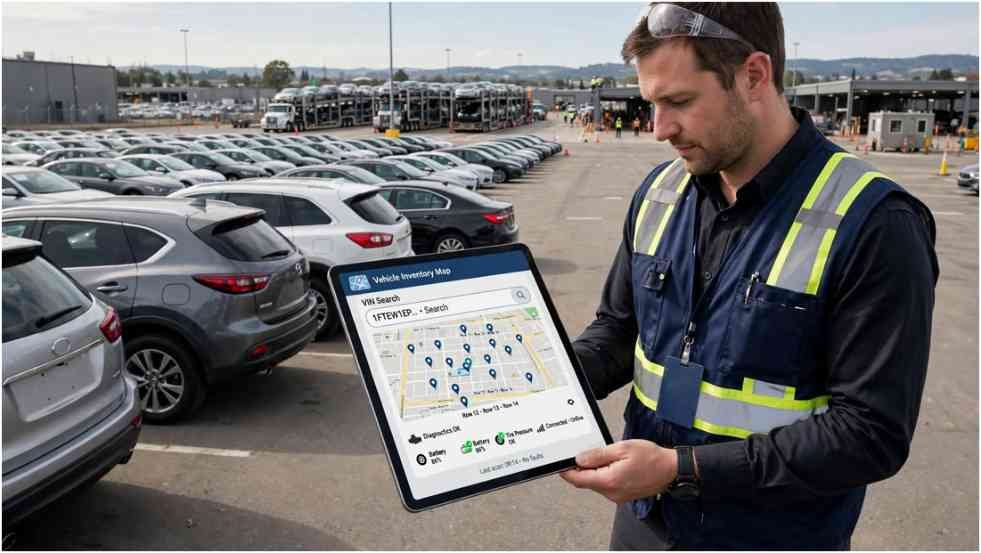
I do not want to spend half an auction visit hunting for stock numbers painted on windshields. LotVision gives eligible Manheim users a faster option: search the vehicle, view its position, and walk toward a defined point on the auction map.
That convenience sounds simple, but using the platform well requires preparation. Buyers must understand its access options, diagnostic limits, and common location-permission problems.
Why Does LotVision Matter on Large Auction Lots?
Auction vehicles rarely remain in one place throughout the sales process. A unit may move between arrival, inspection, reconditioning, staging, sale, and pickup areas.
Manual records can become outdated after one move. Employees and transporters may then search multiple rows before discovering the correct location.
LotVision associates a tracker with an individual vehicle and displays its updated position on a digital property map. Manheim says the system can locate participating vehicles within approximately 10 feet.
The technology was designed for high-volume environments. Manheim reported moving vehicles around 40 million times during 2018, while each vehicle moved five or six times on average across its physical sites. Those figures explain why even a small reduction in search time can improve auction operations.
How Do You Access LotVision?
Users can reach the service through Manheim’s website, supported mobile workflows, or QR codes displayed at participating auctions. The most reliable route is Manheim’s current LotVision location directory.
Select the correct auction before entering a VIN. A valid VIN searched under the wrong property may appear missing even when the tracker works correctly.
Manheim recommends enabling location services and using a supported browser. Chrome is its preferred option. Firefox and Safari are also identified in the current user guide.
Search by VIN or Work Order
A VIN works well before a sale because it identifies one specific vehicle. A work-order number is especially useful after purchase and may appear on a gate pass or purchase invoice.
The system accepts up to 300 VINs or work-order numbers in one search. Users can separate entries with commas or spaces. The official LotVision user guide also explains how to export a Manheim Workbook list and paste it into the search field.
I recommend testing a small batch before uploading a long list. A misplaced character in one VIN can create confusion during a busy inspection schedule.
The search results display the available vehicle positions on a map. Selecting an individual result reveals more information and may provide an option to mark the vehicle as found.
Build a Practical Inspection Route
The tool locates vehicles, but it may not automatically build the most efficient walking sequence. I group nearby markers into zones before starting an inspection.
For example, imagine 18 vehicles divided among three areas. Walking to each vehicle in list order could force repeated trips between zones. Inspecting six vehicles per zone reduces backtracking, even when the number of inspections remains unchanged.
I also assign each vehicle a simple status: priority, backup, inspected, or rejected. That layer is my own workflow rather than an official platform feature. It prevents a location map from becoming an unstructured collection of markers.
This planning is useful when a vehicle needs Heavy Equipment Installation after purchase. Transport dimensions, pickup timing, and destination readiness may matter as much as the auction location.
What Can Diagnostic Data Tell You?
The system provides generic Diagnostic Trouble Codes for many supported vehicles. Its results may show the five-character code, a short description, and the timestamp of the latest reading.
According to Manheim, users can review more than 7,000 generic DTCs. These standardized codes help identify detected problems involving supported vehicle systems.
The EPA’s explanation of onboard diagnostics states that OBD systems monitor major engine and emissions components. The technology became standard across new light-duty cars and trucks beginning with the 1996 model year.
A DTC should change the questions you ask, not answer them all. A misfire code may stem from ignition, fueling, compression, wiring, or another cause. The code identifies the detected condition rather than guaranteeing one repair.
The same caution applies when considering Upgrades for Better Performance. Current faults, maintenance history, engine condition, and warranty implications should be evaluated before modifying a vehicle.
A clear results screen also has limits. Some mechanical faults do not trigger electronic codes. A recently cleared computer may need more driving before all readiness monitors complete.
Why Might LotVision Not Work Properly?
Most problems fall into four groups: the wrong auction was selected, the search identifier contains an error, location permissions are disabled, or the vehicle lacks current supported data.
I start with the simplest checks. Confirm the property, recopy the VIN, refresh the page, and check browser permissions before assuming the tracker has failed.
Location and Browser Problems
The vehicle marker and the user-position marker rely on different data. The vehicle tracker may work even when the phone cannot show the user’s position.
If “Show My Position” fails, confirm that the phone’s location service is active. Then check whether the browser has permission to access location data for the website.
Private browsing, aggressive privacy settings, battery-saving features, or an outdated browser may interfere with location access. Opening the official page in a standard Chrome window often provides a useful test.
Users should avoid changing settings while walking through active traffic lanes. Stop in a safe area and remain alert to moving vehicles and equipment.
Missing Vehicles or Diagnostic Codes
First, verify the VIN against the gate pass, purchase invoice, or vehicle listing. One wrong character can prevent an accurate result.
Next, confirm that the selected auction currently supports the system. Manheim maintains an extensive list, but availability should still be checked before each visit.
A vehicle may have a valid map position without DTC information. Coverage depends on the tracker, vehicle configuration, and available electronic data. Older or unusual vehicles may not support the same workflow as a typical OBD-II vehicle.
Do not remove or adjust the tracking device. Manheim states that only its employees should remove trackers. Personally owned OBD devices are also restricted on its auction properties.
If these checks fail, ask personnel at the auction for assistance. They can confirm whether the vehicle moved, whether its tracker needs attention, or whether pickup instructions have changed.
How Is the Technology Changing Auto Auctions?
Vehicle location is only the first stage of the platform’s value. The same connected hardware can support process measurement, diagnostic screening, and better condition information.
Cox Communications described a dealership version of the technology that allowed teams to locate and manage inventory through a mobile application. A large vehicle importer also reported that the system helped uncover process gaps.
Cox Automotive later used the technology to support VIN-specific electric-vehicle battery assessment at Manheim. That capability transmits battery information into supported condition reports and vehicle-detail pages.
For buyers, this development does not remove the need for independent judgment. It increases the amount of pre-sale information available for prioritizing inspections and bids.
For auction operators, connected inventory creates process data. Managers can better understand where delays occur, how frequently vehicles move, and which workflows consume staff time.
Frequently Asked Questions About LotVision
1. How do I find a vehicle with LotVision?
Select the participating Manheim auction, enter its VIN or work-order number, and open the resulting map marker.
2. Why can’t LotVision show my location?
Your phone’s location service or browser permission may be disabled, even when the vehicle marker remains available.
3. Does LotVision provide a full diagnostic inspection?
No. It reports supported generic DTC information but does not replace a mechanical inspection or complete condition report.
4. Can transporters use Manheim vehicle tracking?
Yes. Eligible transporters can use the service at participating locations to find vehicles scheduled for pickup.
Your Shoes Will Thank You Later
I would use LotVision to eliminate avoidable searching, not to rush the inspection itself. A precise marker saves walking time, while VIN lists and zone planning turn that saved time into a better auction visit.
Before leaving for the property, confirm availability, prepare the vehicle list, and test location access. Then keep the phone down whenever vehicles or equipment are moving nearby. Finding the car faster is useful. Reaching it safely is non-negotiable.