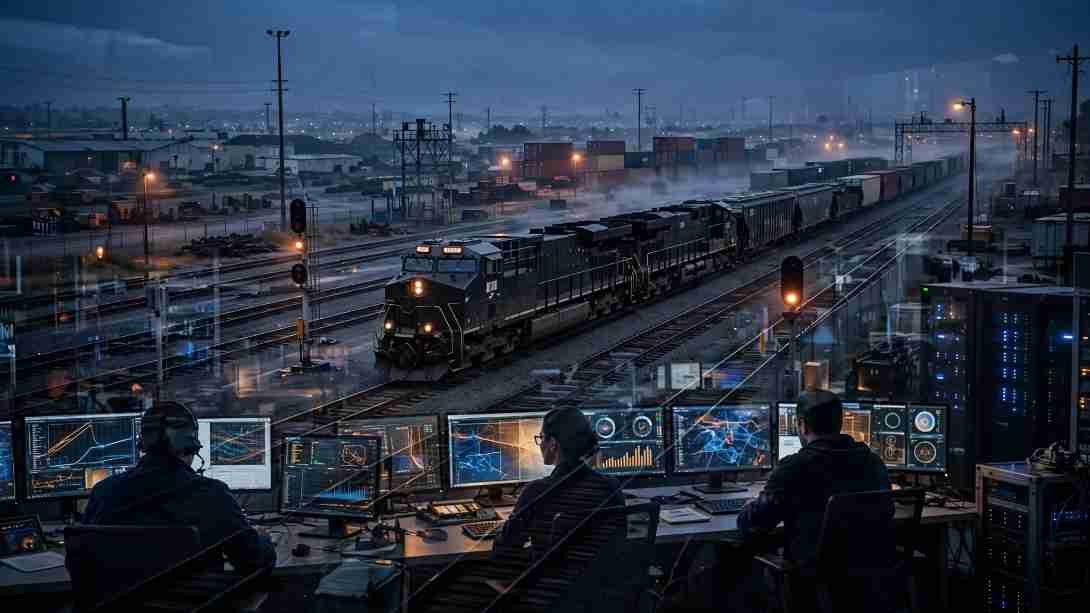
If you searched for NS Mainframe, you probably want the official login or a clear explanation of Horse and CrewCall. You do not need vague claims about a magical computer controlling every train. You need accurate terms, safe links, and practical access guidance.
I reviewed the public Norfolk Southern employee pages and the restricted portal entry point. That check revealed a simple truth: several websites describe the platform in sweeping terms, but Norfolk Southern publishes only limited technical details. This article separates what the company confirms from what third parties merely assume.
What Is NS Mainframe?
The term usually refers to Norfolk Southern’s restricted mainframe environment. Employees may use company systems for approved workforce or railway-related tasks. The official portal states that it is limited to authorized users.
Norfolk Southern’s public website labels its mainframe link as “Mainframe: Horse.” That wording is more reliable than descriptions that call the system a universal transportation-management platform.
A mainframe is a high-performance computer designed for large transaction volumes, reliability, security, and continuous operation. IBM’s mainframe overview explains that these machines support databases and applications requiring high resilience.
That general definition helps us understand the technology. It does not prove the exact hardware, software, or transaction volume used by Norfolk Southern.
NS Mainframe Login and Horse Access Explained
People searching for the employee login should begin with the official Norfolk Southern employee page. Its quick links include MyNS, NS Self Service, and Mainframe: Horse.
Use the official employee page
I recommend opening the employee page first instead of trusting a third-party “login” button. Check that the destination uses an official norfolksouthern.com or nscorp.com domain before entering credentials.
The public Horse link leads to mainframe.nscorp.com. That restricted endpoint may display a session message rather than a normal sign-in screen. It can also report disabled JavaScript, blocked cookies, or missing session information.
Those messages do not prove that an account has been suspended. They often describe a browser or session problem. Employees should follow approved company instructions or contact the help desk shown on the official portal.
Understand session and browser errors
A failed page load may result from expired session data, blocked cookies, disabled JavaScript, or an unsupported access method. Repeatedly changing passwords will not necessarily fix those issues.
Start a fresh browser session and use an approved device or network. Do not disable security controls simply to force the portal to load. If the problem continues, contact authorized support.
Horse, MyNS and CrewCall Are Not the Same
Search results often mix Horse, MyNS, CrewCall, AccessNS, and NS Self Service. Treating them as interchangeable can send readers to the wrong service.
The official employee page describes MyNS as a central place for career information, including benefits, payroll, and training. Horse appears as a separate mainframe link. NS Self Service also has its own entry.
CrewCall is commonly associated with crew notifications, assignments, or board activity. However, Norfolk Southern does not provide a detailed public CrewCall manual on its main website. Public discussions by railway workers suggest how the term is used, but they should not replace internal documentation.
AccessNS serves customers conducting business with Norfolk Southern. It is not the standard Horse employee portal. This distinction matters because employee, crew, and customer accounts can have different permissions and support processes.
How Mainframe Technology Supports Railway Work
A freight railroad produces continuous operational and administrative activity. Crews, equipment, shipments, payroll records, customer requests, and maintenance processes create transactions that must remain accurate.
Reliable transaction processing
Mainframes suit this type of workload because they can process large transaction volumes while maintaining data consistency. IBM notes that mainframe workloads commonly include batch processing and online transactions.
That does not mean every sensor or mobile application connects directly to one machine. Large organizations usually operate mixed environments containing mainframes, databases, web services, cloud tools, and mobile interfaces.
This layered model is a more realistic explanation of NS Mainframe than calling it a single “brain” that independently runs the railroad. The same distinction applies when discussing Quantum Computing: powerful technology still depends on software, data, controls, and people.
Security for critical transportation systems
Rail transportation is part of US critical infrastructure. The Cybersecurity and Infrastructure Security Agency provides cybersecurity guidance for transportation owners and operators.
Restricted access is therefore more than an inconvenience. Authentication, session controls, approved devices, and limited permissions help protect employee information and operational systems.
A third-party page should never request an employee’s username, password, one-time code, or security answers. It should also never imitate the official login screen.
Common Access Problems and Safe Responses
The public portal currently identifies browser sessions, cookies, and JavaScript as possible causes of failed access. That provides a useful troubleshooting order.
First, confirm the domain. Next, restart the approved browser and reopen the link from Norfolk Southern’s employee page. Check whether required browser features are enabled under company policy. Then contact official technical support if the message remains.
Avoid search advertisements that promise instant password resets. Do not share screenshots containing employee numbers, work assignments, or account details. Never use a personal password on an unofficial troubleshooting site.
These steps may appear cautious, but they protect both the employee and the railway network.
What Public Sources Cannot Confirm
Some articles claim that Norfolk Southern currently uses a specific IBM System z model, CICS, TPF, artificial intelligence, Terraform, or direct IoT processing. Those technologies may be possible, yet the public login page does not confirm them.
Likewise, I found no reliable public evidence that one application controls trains, buses, public traffic lights, crew scheduling, and every safety process. Norfolk Southern operates a complex technology estate, not one all-purpose screen.
A credible explanation should acknowledge this boundary. It can explain how enterprise mainframes work without presenting an inferred architecture as a disclosed fact.
The Smart Move Before You Sign In
The best explanation is also the simplest: NS Mainframe usually points to Norfolk Southern’s restricted Horse environment, while MyNS, CrewCall, and AccessNS serve related but different needs.
Begin at the official employee page, verify the domain, and use only approved support channels. A clever shortcut is not clever when company credentials are involved.
Training matters for the same reason. Practical Skills Matter Just as Much as Academics when employees must interpret assignments, protect credentials, respond to alerts, and follow operating rules.
FAQs
1. What is the official NS Mainframe login?
Norfolk Southern provides its official “Mainframe: Horse” link through the company’s employee page.
2. Can the public access NS Mainframe?
No. The official portal states that the system is limited to authorized users.
3. Is Horse the same as MyNS?
No. Norfolk Southern lists Horse and MyNS as separate employee resources.
4. What should I do when the Horse login page fails?
Restart an approved browser session, check permitted browser settings, and contact official Norfolk Southern support.