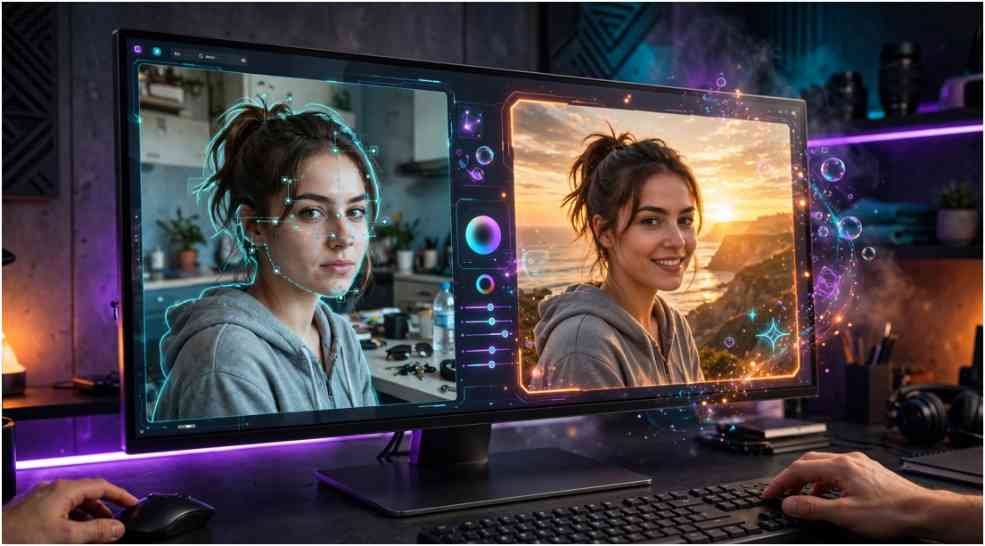
ChatPic may refer to a conversational AI photo editor that changes images through ordinary written instructions. Instead of selecting layers, masks, and color controls, you describe the result you want.
That simple workflow appeals to people who need fast social graphics, restored family photos, creative portraits, or product-image variations. Yet the name is also used by unrelated image-sharing services, so identifying the correct product comes first.
Which ChatPic Are You Looking For?
At least two distinct product categories appear under this name.
One category covers anonymous or temporary image-sharing platforms. These services focus on uploads, shareable URLs, expiration settings, and limited-view links.
The second category is an AI image editor. Third-party software listings describe it as a tool that edits, restores, or generates images through conversational prompts. Public information about its developer, official distribution, pricing, and privacy terms is less consistent than the feature descriptions.
Do not assume that ChatPic.org, chatpic.io, and a mobile AI editor share an owner. Check the developer name, official website, store listing, and privacy policy before installing an app or uploading a photograph.
How the Conversational AI Photo Editor Works
Traditional editing asks the user to operate the software. Conversational editing asks the software to interpret the user.
The process usually follows three stages. You upload an image, type an instruction, and review the generated version. You can then refine the result with another prompt.
For example:
“Remove the parked cars behind the subject, preserve the building, and match the pavement texture.”
That instruction identifies the target, protected elements, and expected visual treatment. It gives the model more direction than “remove background objects.”
Conversational editing is not unique to ChatPic. OpenAI’s official documentation explains how users can create and edit images through natural-language instructions. The broader shift shows why prompt-based editors feel easier than menus packed with specialist tools.
What Can the AI Editor Do?
Available feature descriptions associate the editor with object removal, style changes, color adjustments, enhancement, and restoration. Exact capabilities may vary by version or platform such as Snapchat Story.
Object removal and background changes
A user might ask the editor to remove a trash can, replace a dull sky, clean a room, or isolate a product. These tasks previously required selection tools and manual reconstruction.
AI can estimate what belongs behind a removed object. It does not recover hidden reality. It generates a visually plausible replacement based on the surrounding pixels.
This difference matters when editing evidence, property photographs, medical images, or journalistic material. A realistic-looking fill can still be invented.
Artistic transformations and AI styles
The editor may transform photographs into animation, pixel art, watercolor, comic, or oil-painting styles. A precise prompt should describe visual characteristics instead of relying only on a living artist’s name.
Useful details include:
- Color palette
- Lighting
- Texture
- Line weight
- Camera angle
- Background complexity
“Warm watercolor portrait, soft paper texture, muted earth colors, and natural facial proportions” offers more control than “make it artistic.”
Photo restoration and enhancement
Restoration tools on TikTok Story may colorize monochrome images, sharpen faces, reduce noise, repair scratches, or increase apparent resolution.
Treat the output as an interpretation. AI may invent eyelashes, jewelry, fabric patterns, signs, or facial details that the source image never recorded. Preserve the original scan and label the enhanced version when historical accuracy matters.
Google’s Snapseed listing provides a useful contrast. Conventional editors expose distinct filters, masking, and adjustment tools, while conversational editors combine many decisions inside one instruction.
A Practical Prompt Formula for Better Results
My recommended prompt structure has four parts:
Action + target + constraints + finish
Consider this weak instruction:
“Make my product photo better.”
Now compare it with:
“Brighten the ceramic mug, keep its exact shape and logo, replace the background with warm white, add a soft natural shadow, and retain a square composition.”
The improved version defines the change and the boundaries.
I also recommend a three-prompt test before relying on any AI editor:
- Make one narrow color change.
- Remove one simple background object.
- Repeat an edit while protecting a face, logo, or product shape.
Then inspect edges, hands, text, reflections, and repeated patterns at full size. If the tool cannot preserve those elements during simple edits, it is unsuitable for precision work.
This repeatable test adds more value than a generic feature list because it reveals how well the editor follows constraints.
Chat-Based Editing vs Traditional Photo Editing
| Editing factor | Conversational AI | Traditional software |
|---|---|---|
| Learning curve | Usually low | Moderate to high |
| First result | Often fast | Depends on skill |
| Pixel-level control | Limited | Strong |
| Repeatability | Can vary | More predictable |
| Complex masking | Automatic but imperfect | Manual and precise |
| Best use | Concepts and quick edits | Final production work |
ChatPic may suit rapid experimentation, but traditional software remains stronger when exact typography, consistent branding, print color, or fine masking matters.
A hybrid workflow often produces the best result. Use AI to create the first version, then inspect and finish it in a conventional editor.
Where AI Photo Editing Still Struggles
AI editors can misunderstand spatial instructions. “Move the lamp left” may change its shape, lighting, or size. Requests involving mirrors and reflections can produce inconsistent details.
Text inside images remains another risk. The system may distort packaging labels, street signs, captions, or logos. Product sellers should verify that an edited item still represents the real product.
Faces deserve special attention. Enhancement can subtly alter identity, age, skin texture, or expression. That may be acceptable for imaginative artwork but inappropriate for identification photographs or documentary images.
Repeated generations can also drift away from the original. Save a clean version after every successful edit instead of applying ten instructions to one increasingly modified file.
Privacy Checks Before Uploading a Photograph
An AI editor must receive the image before it can process it. That raises questions about storage, model training, retention, human review, deletion, and third-party processors.
Before using ChatPic, read its current privacy policy and answer four questions:
- How long does the service retain uploads?
- Can uploaded images be used to improve AI models?
- Can the user delete both inputs and generated files?
- Does the company identify its legal operator?
Avoid uploading IDs, medical records, financial documents, intimate photographs, children’s private images, or confidential client work when the policy is unclear.
Photos may also contain EXIF metadata, including timestamps, camera details, and location information. EDUCAUSE recommends treating metadata removal as part of an organization’s image-security checklist. Its analysis of EXIF privacy risks notes that metadata handling varies among services.
Who Will Get the Most Value From It?
The editor can help social media managers create quick visual variations on Snapchat Story. Small businesses may use it to clean product backgrounds or test campaign concepts. Casual users can repair family scans or create stylized portraits without mastering professional software.
Designers may benefit during ideation, but they should not expect complete production control. Photographers should preserve their original files and disclose substantial AI modifications when authenticity matters.
The right question is not whether conversational editing replaces professional software. It is whether the tool saves time on a particular task without sacrificing necessary control.
FAQs
1. What is the ChatPic AI image editor?
It is described as a prompt-based editor that can transform, enhance, restore, or generate images through written instructions.
2. Is ChatPic the same as ChatPic.org?
Not necessarily; the anonymous image board, temporary hosting services, and AI editor may be unrelated products.
3. Can ChatPic restore old photographs?
Feature listings describe restoration and colorization tools, but users should expect AI interpretation rather than perfect historical recovery.
4. Is ChatPic free to use?
Pricing and availability may vary by platform, so verify the current official listing before downloading or subscribing.
Your Photo Called—It Wants a Better Prompt
ChatPic represents the appeal of conversational editing: tell the software what should change and receive a new image without wrestling with complex controls.
Convenience still needs supervision. Verify the exact product, protect sensitive photographs, preserve original files, and inspect every generated detail. Start with one controlled edit and a precise prompt. If the result survives close inspection, then give the AI a bigger assignment.