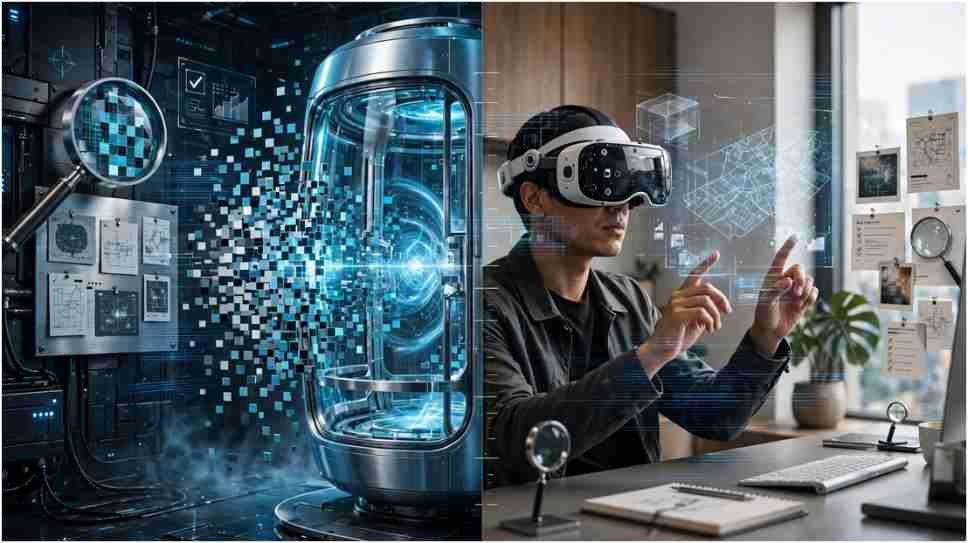
Type Apple Teleport into a search engine, and you may find a $29 million machine, a 360-degree camera app, an old Mac utility, and an Apple video lesson. They share a word, but they are not the same product.
I examined each reference to resolve that naming confusion. The famous teleportation chamber is fictional. The apps, editing lesson, Vision Pro experiences, AirDrop, and Handoff are real. None can physically transport a person.
What Does Apple Teleport Mean?
The phrase has no single official definition. Apple does not sell a product under that name. Online, people usually use it in one of four ways.
Some mean the viral AI-generated teleportation-machine hoax. Others mean a third-party App Store application called Teleport: 360° Camera. Long-time Mac users may remember an open-source keyboard-and-mouse utility. Students may be searching for Apple’s “Make Someone Teleport” filmmaking activity.
There is also a looser interpretation. AirDrop, Handoff, and Vision Pro move content or experiences so smoothly that users describe the effect as teleportation.
This distinction matters because an App Store listing does not make an application an Apple-developed product. Apple hosts software from independent developers, just as other digital stores do.
Teleport: 360° Camera and Vision Pro
The closest real match to Apple Teleport is Teleport: 360° Camera. It is a third-party photo and video application developed by HDReye Technologies, not Apple.
The app lets iPhone and iPad users capture spherical panoramas. It stitches multiple images into a navigable 360-degree scene. Users can then view the result on a phone, tablet, or Apple Vision Pro.
On Vision Pro, a spherical panorama can surround the viewer. Instead of looking at a flat vacation photograph, the user can turn toward different parts of the captured location. This creates a form of digital presence.
The App Store describes support for tourism, travel, real estate, interior design, art, and personal memories. At the time I checked the US listing, the application supported iPhone, iPad, and Apple Vision devices.
That is an original and useful distinction: the app recreates the visual surroundings of a place, while the viral machine claims to relocate physical matter. One transports recorded light and perspective. The other exists only as fiction.
What the 360° App Cannot Do
The application cannot send a person to the photographed location. It cannot recreate live temperature, touch, smell, or unrestricted movement. Its experience depends on the quality and coverage of the captured imagery.
Calling it digital teleportation works as a metaphor. Calling it a physical transporter would be inaccurate.
The Older Teleport Utility for Mac
Before the viral rumor, “teleport” was also the name of an open-source macOS utility. It allowed people to control multiple nearby Macs with one keyboard and mouse.
A user could move the pointer toward the edge of one Mac’s display. The cursor would then appear on another computer connected through the local network. To someone working across several screens, the pointer seemed to teleport between machines.
The software belonged to a category now commonly associated with software keyboard-and-mouse sharing. It did not transfer people, objects, or entire computers. Its name described the movement of input control.
Search results and older discussion boards may still refer to this program as Apple Teleport because it ran on macOS. That description does not mean Apple produced it.
Apple’s Make Someone Teleport Lesson
Apple uses the word in a completely different context within its education materials. The “Make Someone Teleport” lesson teaches a simple filmmaking illusion.
The effect relies on camera placement and editing. A person stands within the frame, the recording stops, and the person leaves. Recording resumes without moving the camera. Joining the clips makes the subject appear to vanish instantly.
A reverse version can make someone appear from an empty scene. Sound effects, timing, and reaction shots can strengthen the illusion.
This lesson helps explain why some viral product videos seem persuasive. Teleportation has been a practical editing effect for decades. Generative images and newer video tools now make fictional hardware easier to add.
The presence of an official Apple lesson does not prove that Apple Teleport exists. It proves that Apple teaches users how to create a teleportation illusion in iMovie.
Apple Features That Feel Like Teleportation
Several genuine ecosystem features move digital information with very little friction. They offer a more grounded explanation for the phrase.
Handoff Moves an Activity Between Devices
Handoff lets a user begin a supported task on one Apple device and continue it on another. Someone might start writing an email on an iPhone and resume it on a Mac. A webpage, note, map location, or document can move between compatible devices.
The feature transfers activity state, not the physical device. Its value comes from continuity: the user does not need to find the same content and restart the task.
Universal Clipboard provides a related experience. Text, images, photos, and videos copied on one nearby Apple device can be pasted on another when the devices meet Apple’s requirements.
AirDrop Moves Files Nearby
AirDrop sends photos, documents, links, and other items to nearby Apple devices. It uses wireless connections and Apple’s sharing interface to avoid email attachments or physical storage drives.
The transfer can feel instant when the devices are close and the file is small. Yet AirDrop is simply secure local data sharing. The original phone, computer, and user remain exactly where they were.
These features reveal a practical pattern. Apple specializes in reducing the visible effort required to move digital content. That seamlessness can feel futuristic without involving literal teleportation.
Vision Pro Creates Presence Without Transportation
Vision Pro adds another layer by changing what the user sees and hears. Immersive video can visually place someone inside a recorded environment. Spatial audio helps sounds appear to come from specific directions.
FaceTime on Vision Pro uses Personas to represent headset users during calls. Spatial experiences can make remote communication feel more immediate than a grid of conventional video tiles.
This is telepresence rather than teleportation. Telepresence delivers enough sensory and social information to create a feeling of being somewhere else. It never claims that the user’s body has changed location.
For most practical purposes, improving presence is more achievable than moving matter. Training, property tours, entertainment, remote collaboration, promotional item ideas to boost your brand awareness and travel previews can all benefit from immersive technology.
Which Teleport Technology Are You Seeking?
Your intended task can quickly identify the correct product.
If you want to capture a location and revisit it immersively, look for Teleport: 360° Camera. If you want one keyboard and mouse to control older networked Macs, you are probably seeking the macOS utility.
If you want to create a vanishing effect, Apple’s filmmaking lesson is the relevant resource. If you want to send files, use AirDrop. To continue an activity across devices, check Handoff.
If you saw a chamber that supposedly moves a human instantly, you saw fictional or misleading content. No downloadable application can turn that claim into a real Apple feature.
Sorry, Sci-Fi Fans: Your iPhone Stays Put
Apple Teleport is best understood as a confusing cluster of unrelated ideas. One is a viral hoax. The others are genuine tools that move images, input, files, or active tasks such as Delta iOS.
I find the real technology more useful than the rumor. A 360-degree panorama can preserve a meaningful place. AirDrop removes friction from file sharing. Handoff keeps work moving. A simple editing lesson can also teach students how visual stories shape belief.
Before downloading anything, identify which function you need and confirm the developer. If a post promises physical transportation, treat it as fiction until Apple and independent scientific authorities provide evidence.
Frequently Asked Questions
1. Is Apple Teleport available in the App Store?
No official teleportation machine exists, but a third-party app called Teleport: 360° Camera is available.
2. Is Teleport: 360° Camera made by Apple?
No. The App Store identifies HDReye Technologies Inc. as its developer.
3. Can Apple Vision Pro teleport users virtually?
It can create immersive visual presence, but it does not move users to another physical location.
4. What Apple feature transfers work between devices?
Handoff transfers supported activities, while AirDrop sends files to nearby Apple devices.